
Whatever you're building, we're here to help you take the first step with confidence.
Write better AI prompts without starting from scratch.
The CR SoftStack Prompt Builder (powered by the CHARLIE Method) helps busy adults turn real-life situations into clear, calm, copy-and-paste prompts for AI tools. (ChatGPT, Notion, CoPilot, etc.)
Turn “I don’t know what to say” into structured prompts in 60 seconds
Beginner-friendly, but smart enough for power users
Built for real life: work, money, routines, boundaries, and soft life goals
Free to use. No login required.
Try the CR SoftStack Prompt Builder
CR SoftStack Prompt Builder
Tell me what you want a prompt for, and I’ll turn it into a clean, copy/paste prompt you can use in your AI tool.
- Soft life & mindset: Help me design a weekly routine that feels calm but still productive.
- Digital productivity: Help me organize my tasks into a simple system I can actually follow.
- Work & communication: Help me write a clear, kind message to set a boundary with someone.
- Clarity & reflection: Help me reflect on my current habits so I can feel less overwhelmed.
Your text stays in your browser. We don’t store or send your input anywhere.
How to Use It
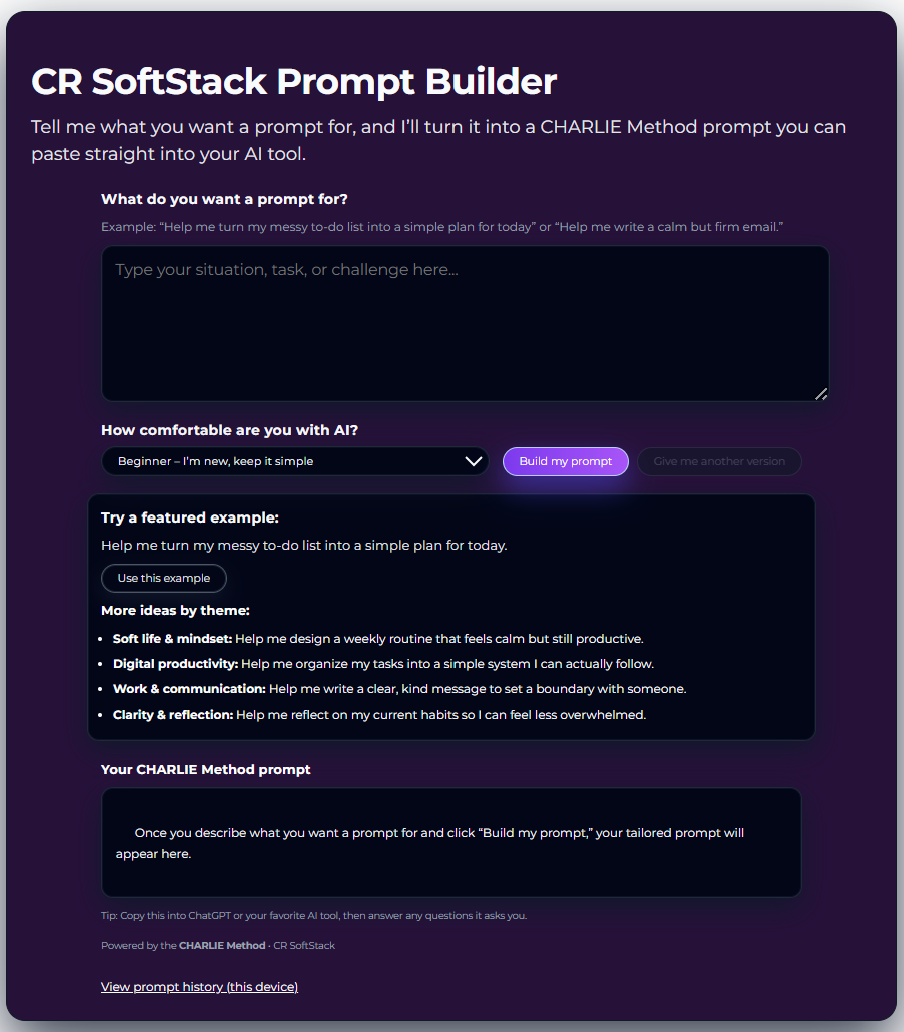
Step 1 – Describe your situation
Short sentence about:
Type what you want a prompt for. Messy is okay.
Step 2 – Choose your comfort level
Beginner, Intermediate, or Expert, so the prompt meets you where you are.
How it works (in under 60 seconds)
3 Simple Steps)
1
2

3
Step 3 – Click “Build my prompt”
View your prompt in the Your CHARLIE Method prompt section
Copy the CHARLIE Method prompt into your AI tool and follow the questions it asks you.
You can also click “Give me another version” to see a second take.
Want to view your previous prompts? Click the “View prompt history(this device)” link at the bottom of the page
Scenarios for Prompts
-

Soft Life & Mindset
Scenario: “I feel scattered and overwhelmed with everything on my plate.”
Prompt idea (to type into builder):“Help me design a weekly routine that feels calm but still productive.”
-
Digital Productivity
Scenario: “My tasks are everywhere from email, sticky notes, and my head.”
Prompt idea:“Help me organize my tasks into a simple system I can actually follow.
-

Money & Decisions
Scenario: "I’m stressed about a financial choice."
Prompt idea:“Help me think through this decision using a simple, clear framework.”
-

Work & Communication
Scenario: "I’m stressed about a financial choice."
Prompt idea:“Help me think through this decision using a simple, clear framework.”
Why the CHARLIE Method works
You don’t have to reveal every detail of the acronym yet, just the vibe:
It slows your thinking down just enough to be clear
It teaches you to talk to AI like a collaborator, not a search bar
It bakes in context, clarity, and next steps
It’s designed for real life, not just tech experiments
This tool is built for people who have lives, jobs, families, and a full schedule, making it hard to find time to “learn AI.”
If you like the CR Prompt Builder , try these learning tools as well

Save and simplify with the SoftStart AI Starter Bundle — your complete introduction to calm, confident AI use.
Start Smart, Live Softer.
This 3-in-1 set includes:
AI & How It Will Change Your Life (eBook)
Beginner Prompt Pack
AI Daily Planner
Together, they guide you from understanding AI to using it daily — all in a friendly, human way. You’ll learn how to simplify your routines, find balance, and make technology feel supportive, not stressful.
✨ You’ll Get:
• The full eBook (digital guide)
• The 10-theme Beginner Prompt Pack
• The printable AI Daily Planner
• Bonus reflection prompts + bundle savings
🌸 Why You’ll Love It:
It’s your complete soft-start into AI — learn, practice, and build habits that last.
Practical AI Prompts for Everyday Ease
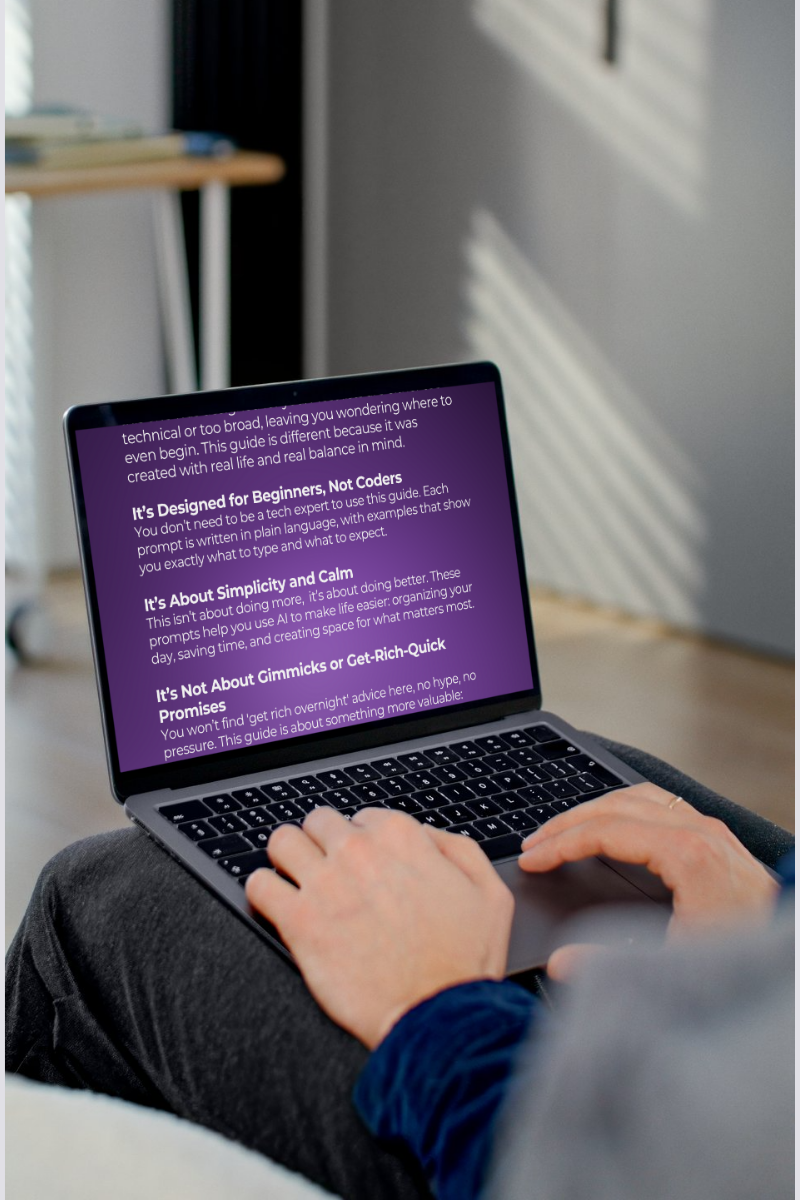
Discover how AI can make your everyday life simpler, calmer, and more efficient. This beginner-friendly prompt pack was designed for real people — not tech experts — who want to use AI to organize their day, spark creativity, and restore balance.
Each section walks you through a real-life situation with a ready-to-use prompt, quick tip, and example output, so you can start using AI confidently right away. From planning your mornings and decluttering your space to improving emails and reconnecting with friends, these prompts help you get more done — with less stress.
✨ What’s Inside
10 beginner AI prompt themes for everyday life
Copy-and-paste examples for ChatGPT, Gemini, or Copilot
Quick personalization tips for better results
Real example outputs for clarity and confidence
Bonus “Next-Level Exploration” visual AI challenge
Written in plain language — no tech jargon or hype
🌸 Why You’ll Love It
This guide is about balance, not burnout. You won’t find gimmicks or get-rich-quick advice — just calm, useful guidance that helps you feel capable and confident in a fast-moving world.
Whether you’re exploring AI for the first time or want to use it more meaningfully, this prompt pack will show you how to work smart, live soft, and make technology feel human again.

Step into the future without the overwhelm.
This easy-to-follow guide shows you how to use AI to simplify everyday life, boost productivity, and reclaim your time. You’ll see how small changes like better search habits, smarter prompts, and effortless planning can create a big shift in how you work and live.
Why you’ll love it:
Relatable, real-life examples written for adults 40+ who want results, not jargon.
Instant wins learn tools that make your daily routine easier from day one.
Confidence-building prompts start experimenting without fear or confusion.
FAQs
-
Nope. If you can type a sentence, you can use this tool.
You do not need a certification, a YouTube tutorial, or a teenage niece.
Just write what’s on your mind and messy entries are welcomed. -
It works with almost any AI tool: ChatGPT, Gemini, Claude, Copilot, Notion all of them.
Think of it like a universal charger, but for prompts. -
Absolutely not. Your text stays on your device.
We are not reading it, storing it, judging it, or forwarding it to your ex.The only thing saved is your past prompts, and that stays in your own browser, just for your convenience.
-
100% yes — that’s actually what it’s great for.
Writing emails, prepping meetings, brainstorming, thinking through decisions...
This is your new “digital co-worker” who never gets on your nerves. -
It’s a structured way to write prompts that actually sound human and get better results.
No jargon. No tech talk.
Just a simple process that guides AI to respond in a calm, thoughtful, helpful way.
(Think of it as: “Let me tell you what I need, without confusing the robot.”) -
Perfect! That’s exactly why this tool exists.
Use the example prompts scenarios on this page or literally type:“I don’t know how to start.”
The builder will take it from there. -
Because your life already has enough chaos.
This tool is designed to be:quiet
intuitive
soft on the eyes
easy on the brain
and judgment-free
The way technology should feel.
-
If you do, you deserve a trophy because nobody has managed it yet.
-
Then you’ll love the prompt packs, ebooks, and planners, all designed to give you peaceful, structured support.